Follow the below steps to process a full or partial refund.
Please note: The User must have permission to process a refund. If the Refund Action does not appear, then the User does not have account permission and an 'Admin' or similar will need to complete the refund.

Also, ensure that the card used for the payment you are refunding is valid and not expired.
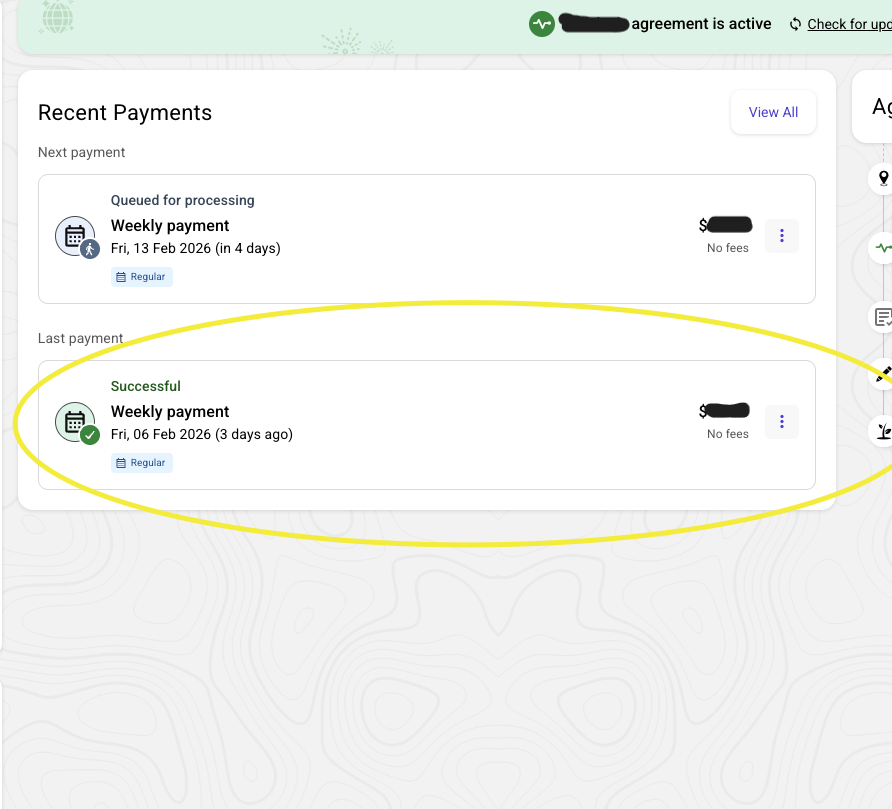
1. Click any where on the relevant Payment to be refunded:
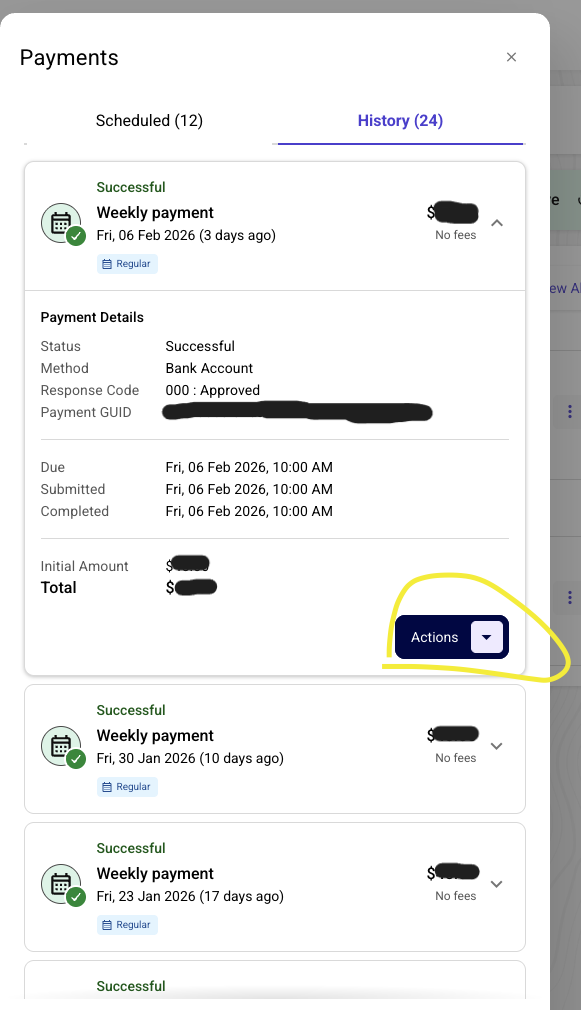
2. Select the 'Actions' drop down
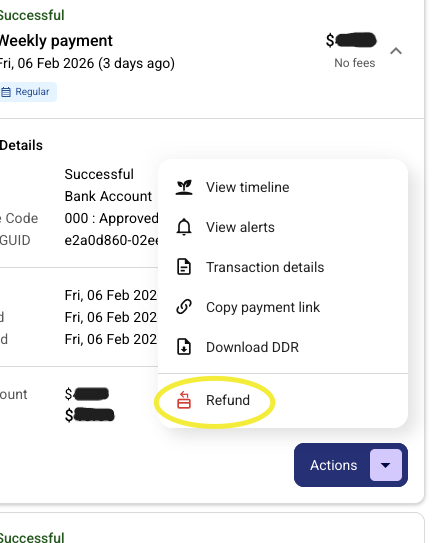
3. Select 'Refund'
4. Select either 'Total amount" or 'Partial amount', depending on your requirements
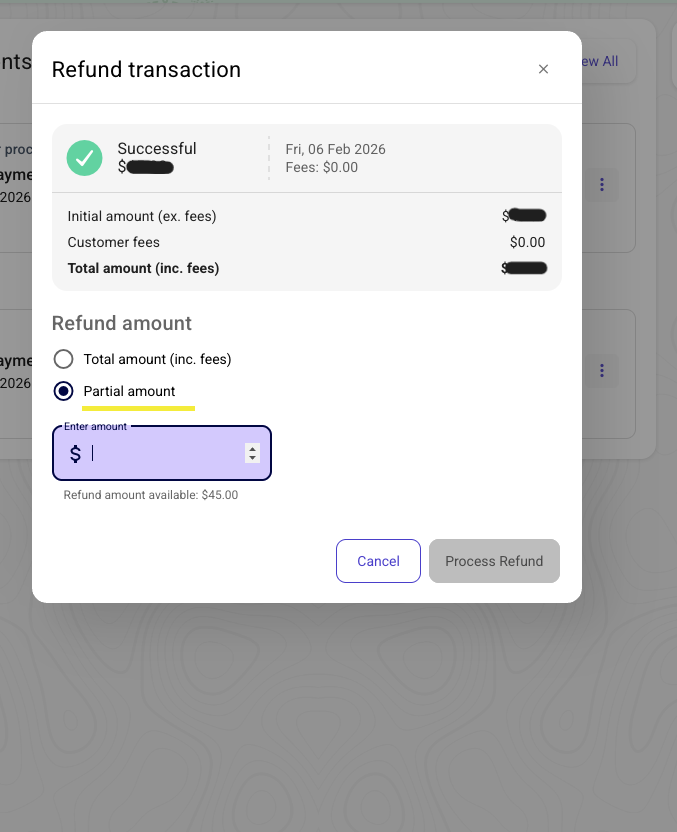
5. Enter the required amount and click "Process Refund".
Was this article helpful?
That’s Great!
Thank you for your feedback
Sorry! We couldn't be helpful
Thank you for your feedback
Feedback sent
We appreciate your effort and will try to fix the article